my current stack and how it’s configured
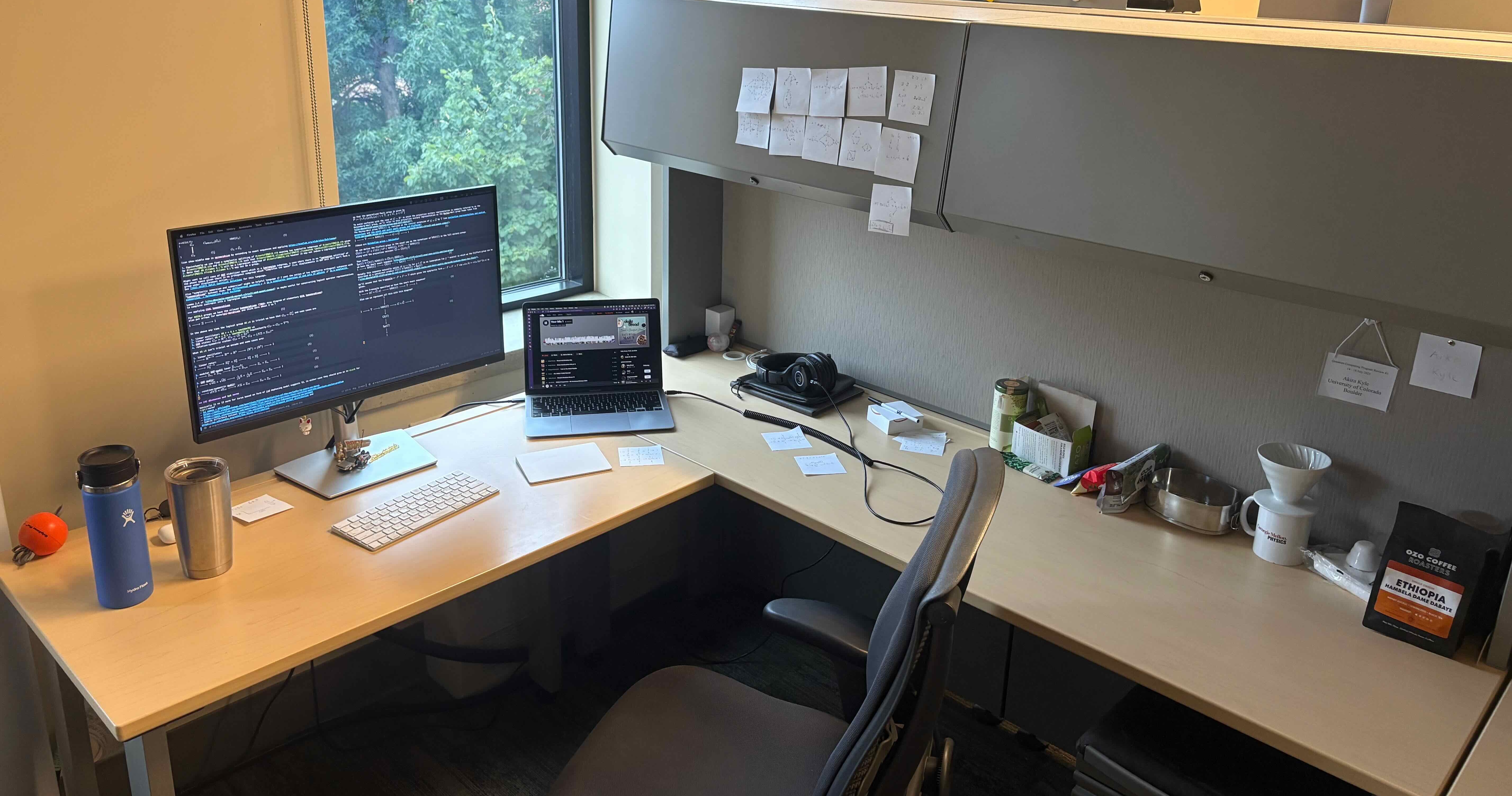
I’ve gone through a fair bit of iteration to arrive at my current “technology stack”, by which I mean the set of hardware and software I use to do everything from academics to hobbies. This is mainly just a list of the tools I use. For some insights into how I use them, see my current workflows.
My current stack is:
- minimal yet reliable hardware:
- laptop: base model 2020 M1 MacBook Air (MBA)
- monitor: Dell 27 4K USB-C Hub Monitor - P2723QE
- I quite like this given it feels just big enough and once going HiDPI it’s hard to go back.
- Apple Magic Keyboard & Trackpad
- software:
- operating system: macOS
with some key macOS setting changes:
sudo scutil --set HostName 'aMac'
# need log out and back in for key repeat to take effect
defaults write -g InitialKeyRepeat -int 10 # normal minimum is 15 (225 ms)
defaults write -g KeyRepeat -int 1 # normal minimum is 2 (30 ms)
defaults write -g ApplePressAndHoldEnabled -bool false
- text-editor-that-I-wish-was-my-operating-system: emacs (see emacs configuration)
- I compile emacs locally with dependencies installed using Homebrew.
- browser: Firefox on macOS
- Occasionally I’ll use eww for docs
- email: mostly macOS’s Mail but sometimes mbsync + mu4e (see mbsync configuration)
- document creation: LaTeX (often via org-mode)
- installed BasicTeX
- To get
dvisvgmto work, I had to install ghostscript via homebrew and addexport LIBGS=/opt/homebrew/lib/libgs.dylibto my.profile
- Quality of Life apps:
- Karabiner-Elements for remapping the keyboard:
caps_lock -> escapeleft_command -> left_controlleft_control -> left_command
- AltTab - Windows alt-tab on macOS
- I use
command-tabto switch application windows since I find that easier than macOS’s default of switching apps whilecommand-`switches windows within an app.
- I use
- AlDente - AppHouseKitchen
- Allows me to hopefully save my battery a bit by preventing it from always charging when I plug into my office monitor.
- Karabiner-Elements for remapping the keyboard:
- operating system: macOS
- Linux system: (when needed):
- Old HP EliteDesk Mini 705 G4 with guix
- guix system on the macos virtualization framework
- Also see guix configuration
For links to older iterations of my stack see the stack graveyard.